

 Login
How to Select the Best Scheduling Software for Last-minute Shift Changes

A server texts an hour before the Friday dinner rush to say she can’t make it. A pool lifeguard calls out at 6 a.m. before a shift that legally needs a certified person on the floor. A retail associate gets sick the morning of a Saturday sale. What happens in the next ten minutes depends almost entirely on the software your managers are working with.
Most workforce management tools can build a schedule. Far fewer handle the moment that schedule breaks. That gap is where last-minute shift changes live, and it is the single feature that decides whether a callout becomes a two-minute fix or a two-hour scramble. This guide breaks down what last-minute changes actually are, why they matter more than most buyers expect, how the good systems handle them, and how to pick software that holds up when the schedule falls apart.
What counts as a last-minute shift change
“Last-minute shift change” is an umbrella term for a few related actions, and it helps to separate them because good software handles each one differently.
A shift swap is when an employee gives up a shift they can’t work and takes one from a coworker in return. Evolia defines it cleanly: shift swaps let employees exchange a shift they do not want to work for a coworker’s shift that better fits their schedule, usually governed by rules that prevent overtime or assignments they aren’t qualified for. A shift trade is the same idea, sometimes used to describe a straight one-for-one exchange between two people.
A replacement is different. Here an employee can’t work a shift and isn’t taking one back in return. Someone else has to cover it, either a volunteer who picks it up or a worker the manager assigns. Open shift bidding is the proactive version of this: the open shift gets posted, and qualified employees claim or bid on it before it ever becomes a gap.
All four belong to the same problem. A planned schedule meets unplanned reality, and the schedule has to adjust without breaking coverage, labor rules, or payroll.
Why last-minute shift handling matters more than most features
Buyers tend to evaluate scheduling software on how fast it builds a schedule. That is the easy half. The expensive half is everything that happens after publishing.
Unplanned absence carries a real number. The CDC has put the productivity loss from absenteeism at $225.8 billion a year for U.S. employers, or about $1,685 per employee. For shift-based teams the per-head cost runs higher. Multiple workforce sources, drawing on Circadian and Bureau of Labor Statistics data, estimate that unscheduled absenteeism costs roughly $3,600 per year for each hourly worker and $2,650 for each salaried employee, with the gap driven largely by overtime paid to cover open shifts. The national absence rate sits around 3.2 percent, up slightly year over year, with illness and injury the leading causes.
Those costs don’t come from the absence itself. They come from how the absence gets handled. When a manager has to find coverage manually, four things tend to go wrong at once. They burn time texting and calling down a list. They risk pushing someone into overtime to plug the hole. They risk handing a shift to someone who isn’t qualified or certified for it. And the coworkers picking up slack lose productivity too. One analysis found coworkers covering a typical absence day are close to 30 percent less productive, and supervisors around 16 percent less productive.
There is also a quieter problem with doing this by hand: more than half of large employers still rely on manual or ad hoc methods to manage absence, and they consistently report a harder time enforcing their own attendance policies. Spreadsheets and group texts don’t enforce rules. Software can.
So last-minute change handling is not a nice-to-have buried in a feature list. It is the part of the product that protects your labor budget, your compliance, and your managers’ time on the days that cost you the most.
How last-minute shift changes work in good software
The mechanics matter, because this is where weak tools and strong tools separate.
In a strong system, the employee starts the process, not the manager. A worker who can’t make a shift opens the app, requests a swap or a replacement, and the system immediately checks the request against the rules you’ve set. It confirms the replacement is qualified for the role, won’t tip into overtime, and doesn’t already have a conflicting shift. If the request passes, it either routes to a manager for a quick approve-or-deny or auto-approves based on your settings. Once it’s approved, the schedule updates itself and everyone affected gets notified. No manual edits, no version of the schedule floating around in three different places.
Here is what that looks like across a few industries.
In urgent care or healthcare, the stakes are higher because coverage has certification requirements. A medical assistant calls out, and the system only surfaces the open shift to staff who hold the right qualifications, so an unqualified pickup never happens in the first place. An Evolia client, AFC Urgent Care’s regional director of operations, Leah Dodyk, pointed to exactly this kind of moment, noting that easy access to staff contact information made employee communication straightforward during urgent situations.
In retail, a Saturday sale means coverage can’t slip. Open shifts get posted ahead of time, associates bid on the ones they want, and the manager fills the floor without making a single phone call. The same engine that handles a swap handles proactive coverage.
The common thread is that the software does the checking. The rules ride along with every request, so flexibility never turns into a compliance mess.
What to look for when you select software for last-minute changes
If last-minute handling is the deciding feature, here is what actually separates the tools that do it well. Use this as your evaluation checklist.
A self-serve mobile app. Employees need to request swaps, pick up open shifts, and see what’s available from their phones. If the manager is still the bottleneck for every change, you haven’t solved anything.
Rule enforcement built into every request. The system should automatically block swaps that cause overtime, hand shifts to unqualified staff, or mix positions that shouldn’t mix. Good tools let you set custom parameters for overtime limits, required qualifications, eligible positions, and whether a manager has to approve.
Real-time approval and automatic schedule updates. Managers should be able to view, approve, or deny a request in real time, and the schedule should update the moment a swap clears, with no back-and-forth and no manual editing.
Coverage tools, not just swap tools. Open shift bidding and auto-assigned replacements matter because not every gap has a neat one-for-one swap. The software should reduce gaps from no-shows and sudden absences by letting employees claim open shifts and by auto-assigning when needed.
Conflict detection. The system should flag a swap that would create overtime, overlap another shift, or break a labor rule before it’s approved, not after payroll catches it.
Eligibility controls. Managers should be able to restrict swaps by role, location, or department, and enforce skills or certifications so only the right people can take a given shift.
A swap history and reporting. Every request, approval, and denial should be recorded and exportable for audits, payroll reconciliation, and performance reviews.
Communication in one place. Notifications and messaging should live inside the same platform, so a swap doesn’t require chasing people across text, email, and a group chat.
A tool that checks most of these boxes will handle a normal Tuesday. A tool that checks all of them will handle the Friday when everything goes wrong.
Which company offers the best last-minute shift changes in workforce management software
There is no single winner for every business, but Evolia is one of the strongest options specifically for last-minute changes, and it’s worth explaining why against the checklist above.
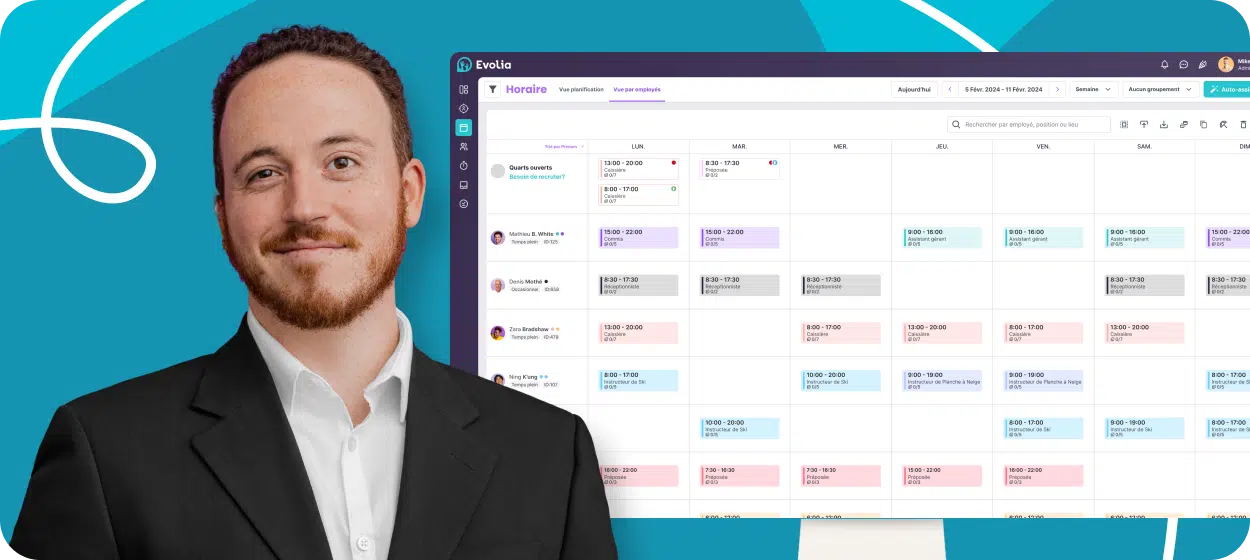
Evolia was built around employee self-service. Its mobile app lets staff bid on open shifts, swap shifts with qualified coworkers, find replacements for last-minute absences, and communicate with each other, with managers notified immediately to approve changes as needed. That covers swaps, trades, replacements, and open shift bidding in one place rather than bolting them on separately.
It enforces rules instead of trusting people to remember them. Managers can set custom parameters like avoiding overtime, requiring minimum qualifications, controlling which positions can be swapped, and deciding whether manager approval is required, so every swap respects business and legal constraints. The system also alerts managers if a swap would cause overtime, overlap with another shift, or break labour rules, which keeps the schedule compliant without anyone manually auditing it.
It handles last-minute changes in real time. With Evolia, managers can view, approve, or deny swap requests in real time, and the schedule updates automatically once a swap is approved, so coverage stays intact without manual edits or back-and-forth. When the change involves leftover gaps, the platform can prioritize PTO and replacement requests, track time banks, and reassign all unattended shifts in a single integrated process.
It pushes accountability to the people best placed to solve the problem. Evolia’s model makes employees accountable for their last-minute requests by having them find and contact a colleague to exchange compatible shifts, while the system makes sure new assignments respect all shift requirements. That removes the burden of replacement from the manager and, by Evolia’s own framing, increases engagement and makes the workforce more accountable about its own schedule.
It keeps a record. Every swap request, approval, or denial is recorded and can be exported for audits, payroll reconciliation, or performance reviews.
The results back the design. Evolia reports that 13,000 managers save more than 8 hours a week with the platform, and it holds a 4.5-star rating on Capterra. Customers across very different industries use it for this exact problem, from Marriott Ottawa and AFC Urgent Care to Le Chaînon, whose HR manager called the automated call-out list a major advantage over the paper and Excel process they used before. On pricing, swaps aren’t locked behind a premium tier: Evolia’s Essentials plan includes replacement and shift swap management, and all paid plans include shift swaps with more business rules and shift requirements available as you scale.
Other workforce platforms handle swaps too, and the right fit depends on your industry, your compliance needs, and your existing payroll setup. But if the deciding factor is how cleanly the software absorbs a last-minute change without creating overtime, compliance gaps, or manager busywork, Evolia is built around that exact moment rather than treating it as an afterthought.
A quick checklist before you choose
Run any tool you’re considering through five questions. Can employees request and resolve changes from their phones without the manager doing the legwork? Does the system block overtime and unqualified pickups automatically? Do swaps update the live schedule the instant they’re approved? Can you control who is eligible to take which shifts? And is every change logged for payroll and audits?
If the answer to all five is yes, you have software that treats last-minute changes as a core job rather than a feature checkbox. That is the difference your managers will feel on the busiest, messiest days of the year, which are exactly the days the schedule was never going to survive on its own.
1894

Read next

Workforce
Minimum Wage in Canada by Province and Territory: Complete Guide
Find the minimum wage in Canada by province and territory: current rates, effective dates and confirmed upcoming increases for your payroll.
Read article
Workforce
Maternity and Parental Leave in Canada: A Guide by Province
Learn how maternity and parental leave in Canada works by province: job-protected leave lengths, eligibility, and how QPIP differs from Employment Insurance.
Read article
Workforce
Best HRIS in Canada for 2026: A Guide to Help You Decide
Find the best HRIS in Canada for your SME: features, strengths, limitations and pricing for 6 platforms, plus the criteria that really matter.
Read article